Before we begin, please make sure you've completed the following checklist:
✅ You have the Humanz and TikTok apps is installed on your device with the latest version.
✅ Your TikTok profile contains at least one public video.
Once you’ve confirmed all the above, let’s get started:
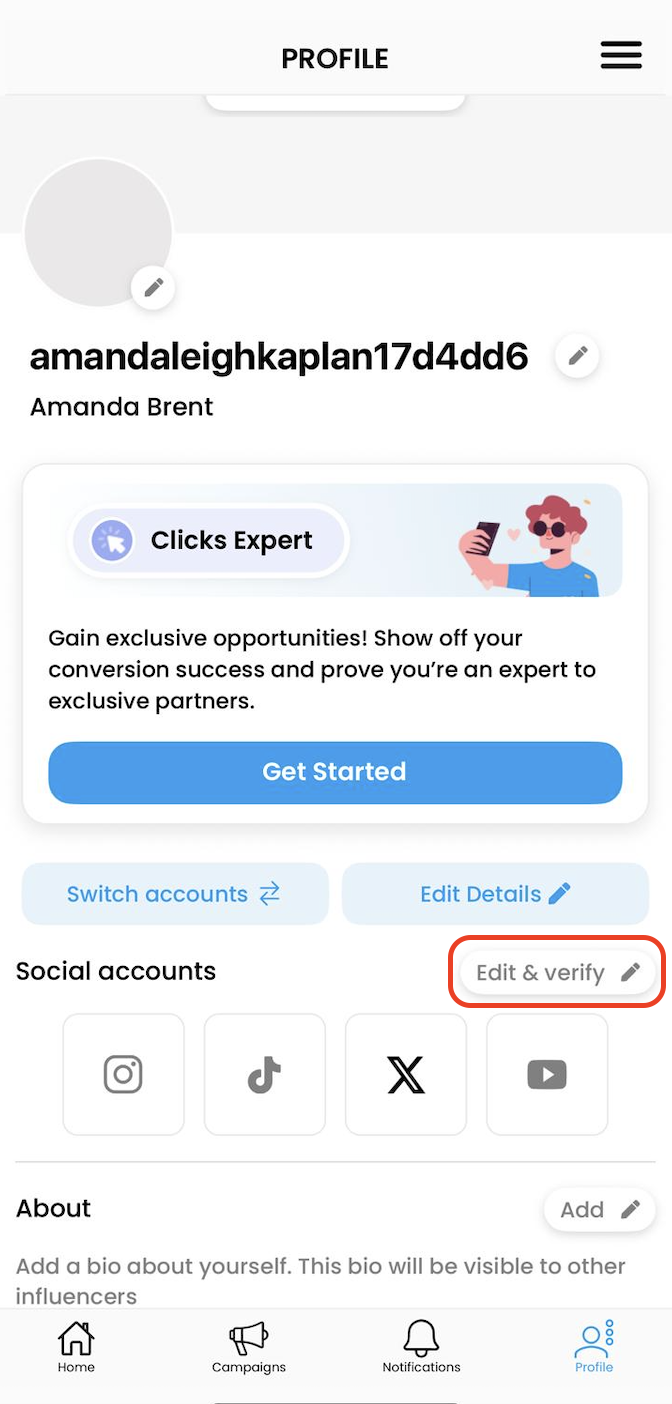
1. Go to your Profile > Social Accounts and tap Edit & Verify.
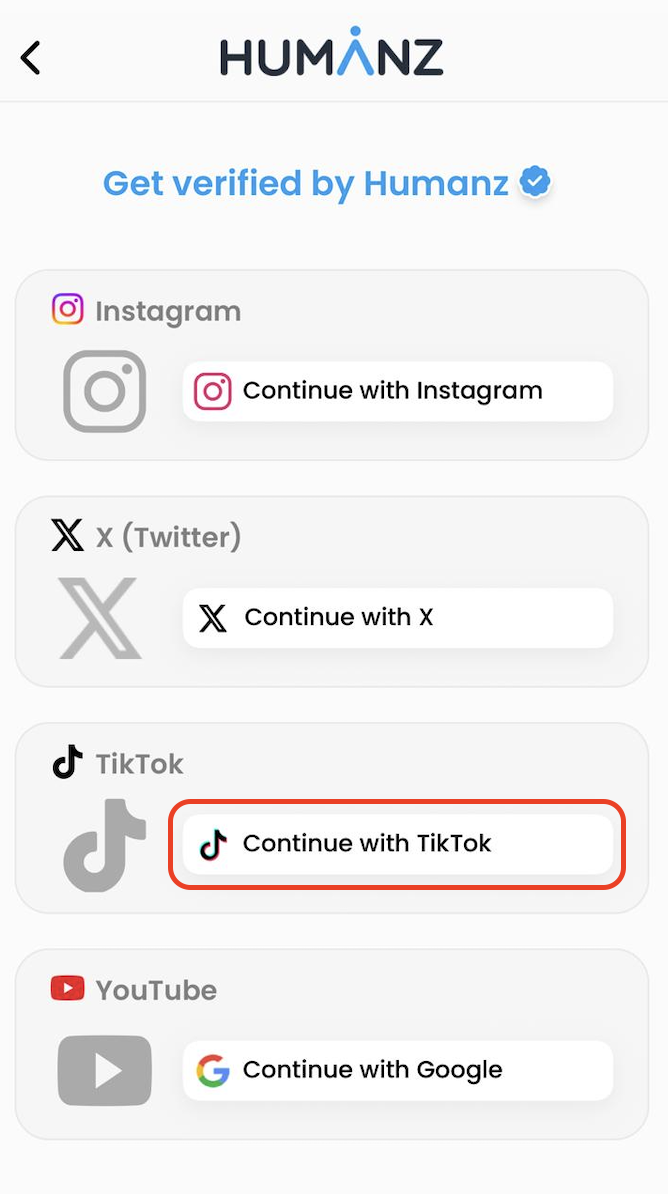
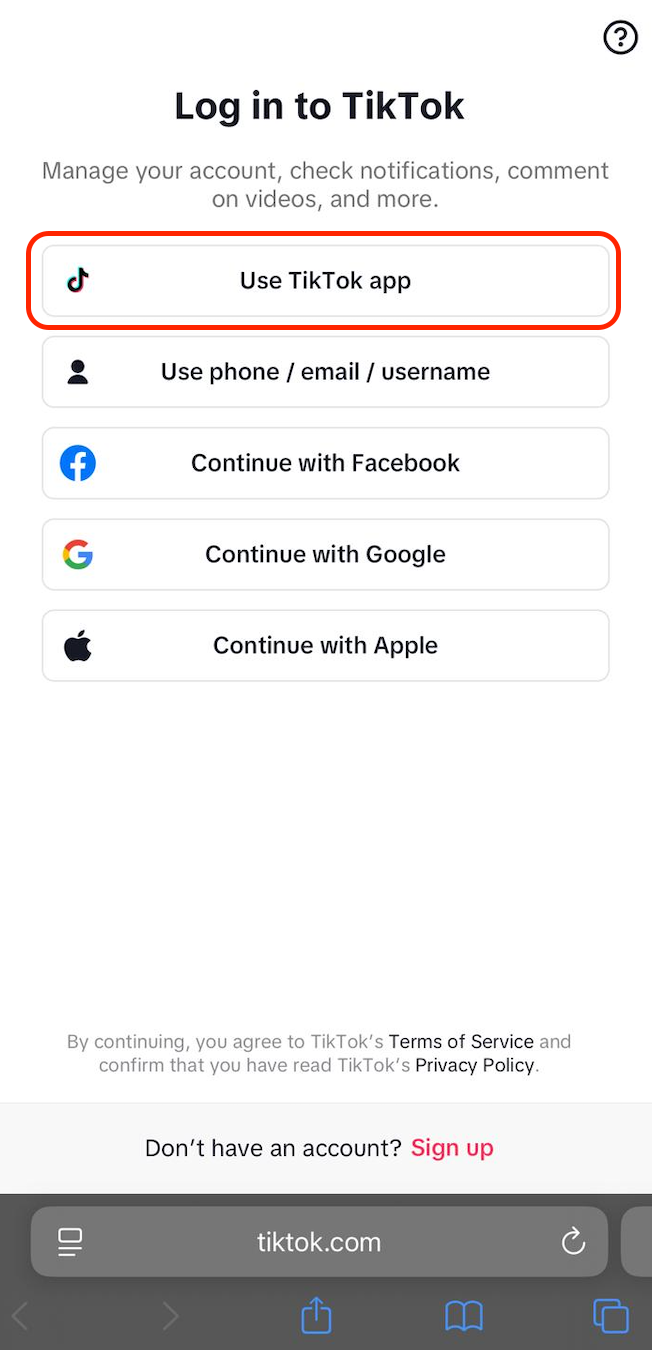
3. Next, the Humanz app will redirect you to TikTok and you'll be asked to log in to your Tiktok account with your email address/username and password.
Choose Use TikTok app:
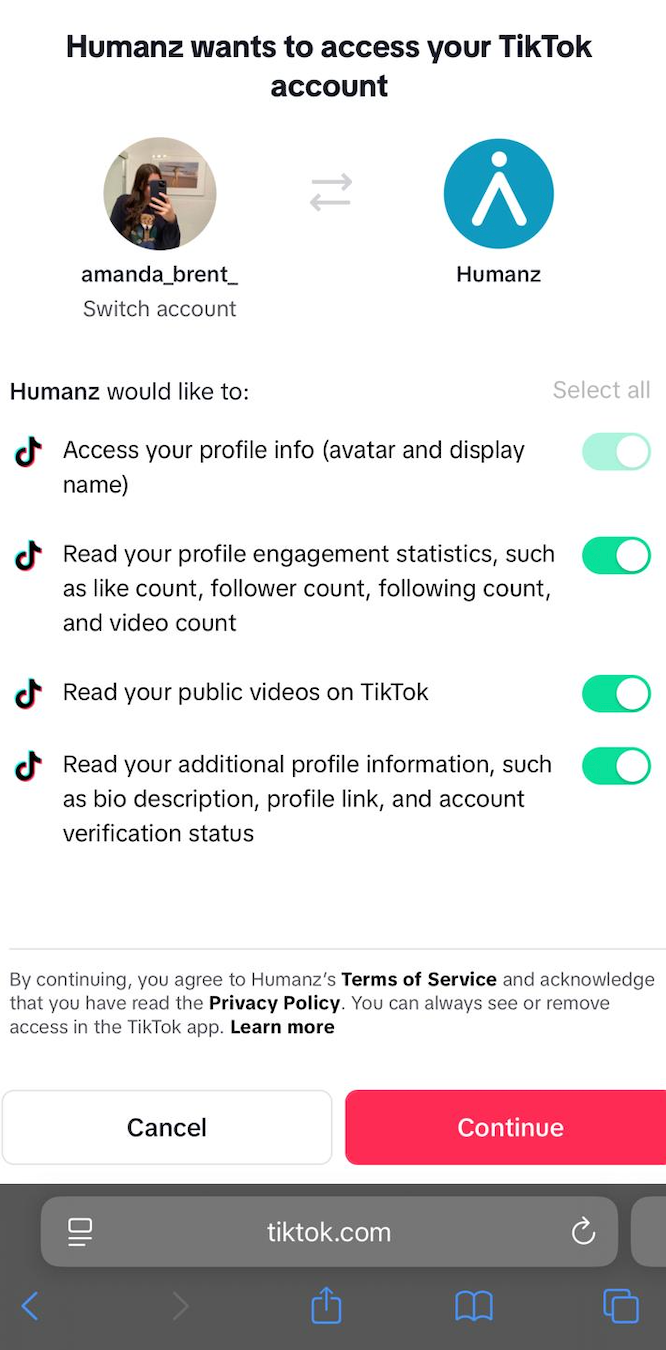
4. Permissions - once logged in, you will be asked to allow permissions to view
profile, access, and manage insights, set the toggles to 'Allow'.
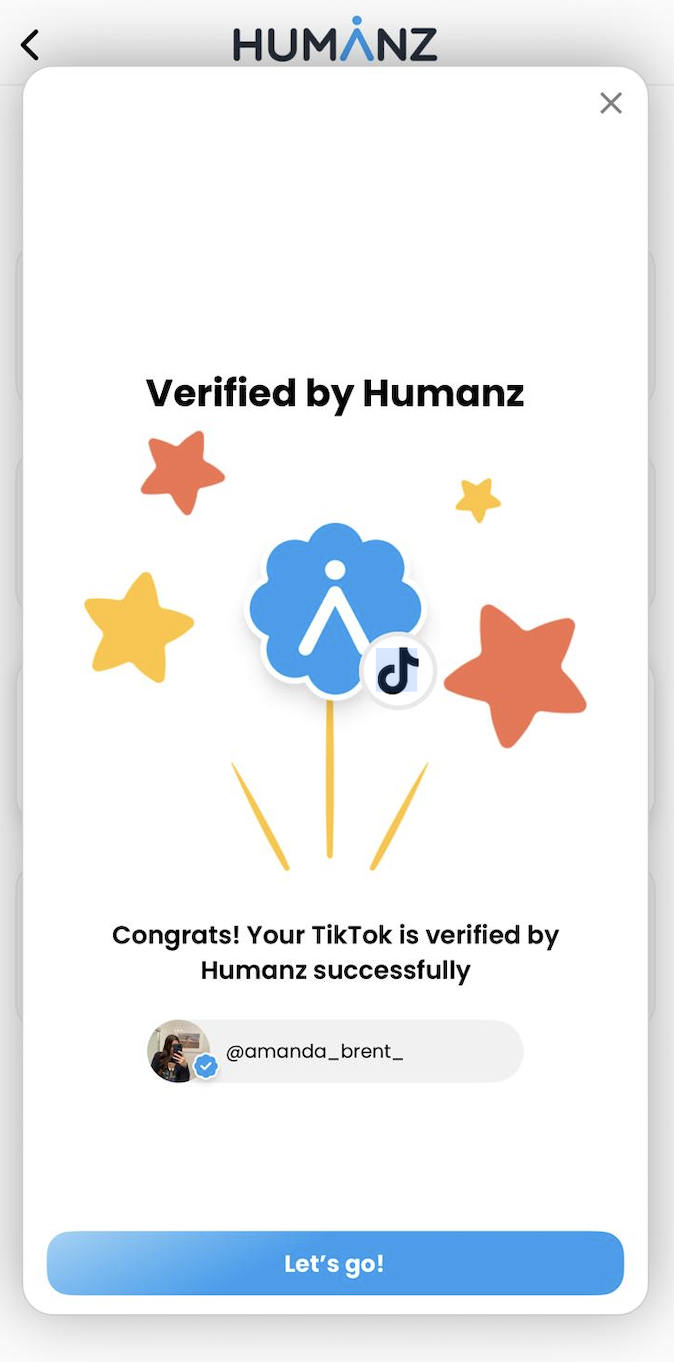
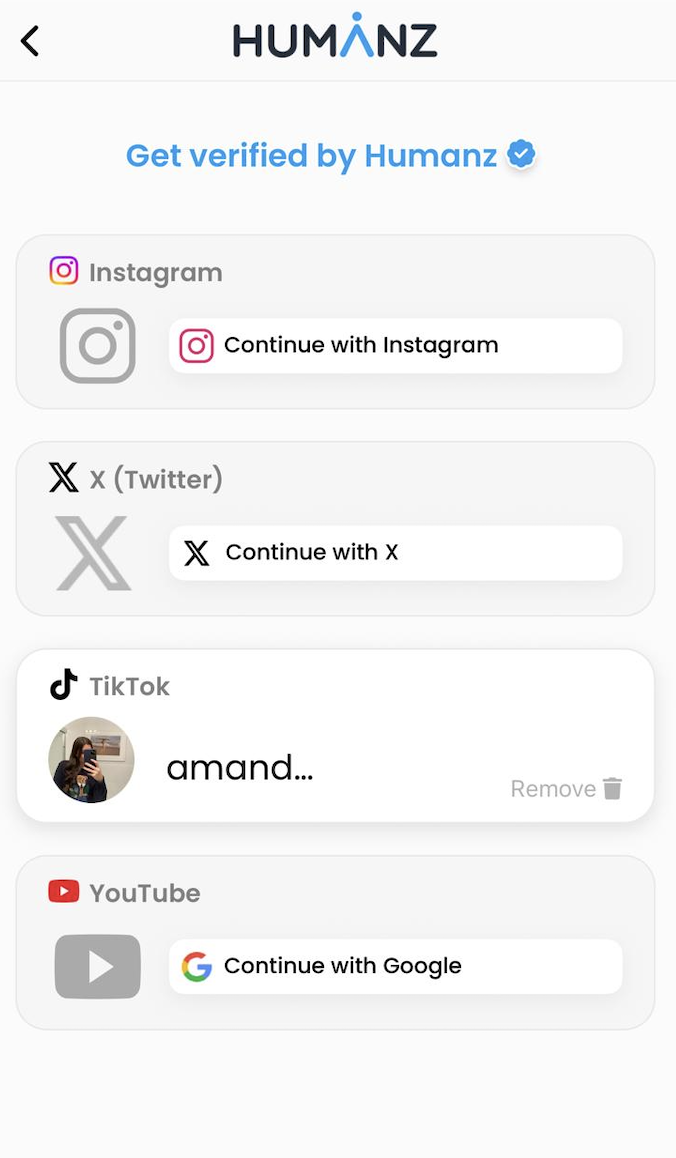
5. After completing the previous step, you will be redirected to the Humanz app, and your TikTok connection will appear connected and verified!
✅ That's it!
TikTok is now connected with the Humanz app.
You're all set and ready to go!
Was this article helpful?
That’s Great!
Thank you for your feedback
Sorry! We couldn't be helpful
Thank you for your feedback
Feedback sent
We appreciate your effort and will try to fix the article