How to connect your Instagram with Facebook:
Before we begin, please make sure you've completed the following checklist:
✅ Your Instagram account is set to a Professional or Business account (not a Personal account).
✅ Your Instagram account is public, not private.
✅ You have the Humanz, Instagram, and Facebook apps installed on your phone.
Once you’ve confirmed all the above, let’s get started:
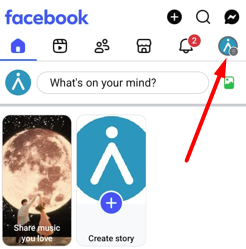
Go to your Facebook Profile and tap the Menu icon.
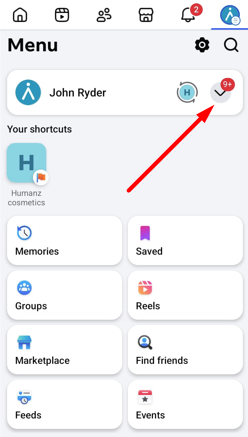
Click the arrow and select your relevant business account you wish to link with Instagram.
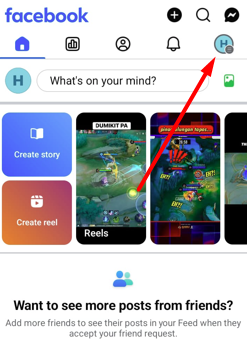
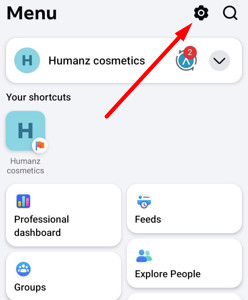
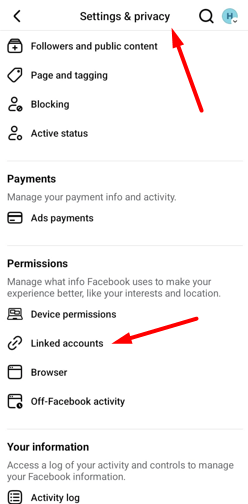
Tap the Menu icon again and click Settings & Privacy Icon
>Scroll down to permissions > Linked accounts
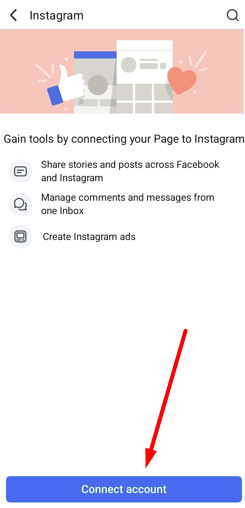
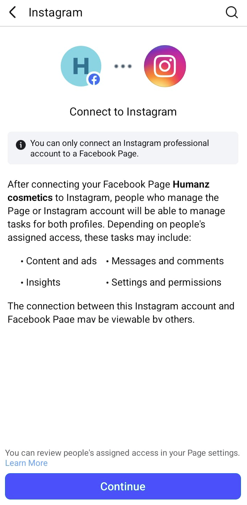
Select the option ‘Instagram’, Click connect account & Continue
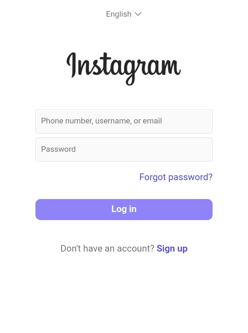
>Enter the relevant account login details and login to your account.
click ‘Save info’ if asked.
Login as your account and complete details accordingly.
Once completed all of the above successfully go back to the Humanz app, and try to verify your Instagram account.
Was this article helpful?
That’s Great!
Thank you for your feedback
Sorry! We couldn't be helpful
Thank you for your feedback
Feedback sent
We appreciate your effort and will try to fix the article
